How I built this site's AI chat: AI SDK, Claude, usage limits, logs and leads
You can get an AI chat running on a website in an afternoon. The real work comes after: deciding what the model may say, stopping people from using it on my bill, knowing what visitors actually ask, and not losing the ones who want to talk to me. This is how I built the chat on this site, what I put around the model, and what I had to redo.
Architecture: one route, the AI SDK and Claude Haiku
I split the chat into two halves. In the browser, a React widget using useChat from the Vercel AI SDK. On the server, a Next.js route that receives the messages, sends them to Claude Haiku 4.5 through streamText and streams the reply back.
I picked Haiku because the questions are short, the context is narrow and each request costs little: services, how I work, projects. I needed a fast model that stays on topic.
The panel pulls in the AI SDK, a Markdown renderer and the contact form, so I took it out of the initial bundle. It is fetched when a visitor hovers or touches the button and mounted on the first click.
What the model is allowed to say
I wrote the system prompt so it is rebuilt on every request. One part is fixed: profile, how I work, services, what I don't do, contacts. The other part comes from the CMS: the most recent published projects, each with its link, and the pages of my products. When I publish a new project, the chat knows about it without a code change.
The rules I wrote that matter most:
- it only answers about me, my work and how to reach me, in the visitor's language;
- if it doesn't know something it says so and points to the contact page instead of making things up;
- it never gives prices, rates, ranges or estimates, not even rough ones;
- it never promises delivery dates, discounts or availability;
- it talks about me in the third person: it is my assistant, not me.
The writing rules I use for my own copy apply too: short sentences, no exclamation marks, a list of banned words.
Usage limits: three checks before the model
Every chat message is a paid call to Anthropic. An open route is free access to Claude for anyone who finds it. So every request goes through checks ordered from cheapest to most expensive:
- Vercel BotID rejects automated traffic before anything else runs.
- Two limits per IP, one per minute and one per hour. The first stops bursts, the second stops someone who stays under the first but keeps going for hours. Going over returns a 429 error with the number of seconds to wait.
- Content checks: a maximum number of messages per conversation and a maximum length for the latest message.
I also capped the length of the replies.
I put the counters in Vercel's runtime cache, shared by the instances in a region. Under concurrent requests the count can drift by one. For a portfolio I judged that acceptable and wrote it down in the code. Here is the idea in a simplified form:
import { anthropic } from "@ai-sdk/anthropic";
import { convertToModelMessages, streamText, type UIMessage } from "ai";
import { z } from "zod";

import { LIMITS } from "./chat-limits";

const WINDOWS = [
  { name: "minute", limit: LIMITS.perMinute, windowMs: 60_000 },
  { name: "hour", limit: LIMITS.perHour, windowMs: 3_600_000 },
];
const body = z.object({ messages: z.array(z.custom<UIMessage>()).min(1).max(LIMITS.messages) });

export async function POST(req: Request) {
  if (await isBot(req)) return json({ error: "bot" }, 403);

  const ip = clientIp(req);
  for (const w of WINDOWS) {
    const hit = await countHit(`${w.name}:${ip}`, w);
    if (hit.blocked) return json({ error: "rate_limited", retryAfter: hit.waitSeconds }, 429);
  }
  const parsed = body.safeParse(await req.json());
  if (parsed.error) return json({ error: "invalid" }, 400);
  const { messages } = parsed.data;

  const result = streamText({
    model: anthropic("claude-haiku-4-5"),
    system: await buildSystemPrompt(),
    messages: await convertToModelMessages(messages),
    onFinish: ({ text, usage }) => saveLog({ messages, text, usage }).catch(() => {}),
  });
  return result.toUIMessageStreamResponse();
}
Conversation logs and contact capture
I hooked logging into the onFinish callback: when a reply finishes, the conversation goes to the CMS. One document per session: the first question, the language, how many messages the visitor sent, the messages themselves cut to 500 characters each, and token usage. I don't store the IP. I store a truncated hash computed with a secret value, which is enough to spot repeat visits without knowing who anyone is. If saving fails the visitor never notices: logging must never block the reply.
I locked the logs to logged-in CMS admins and added a scheduled job that every Monday morning emails me a summary of the week with the last ten conversations.
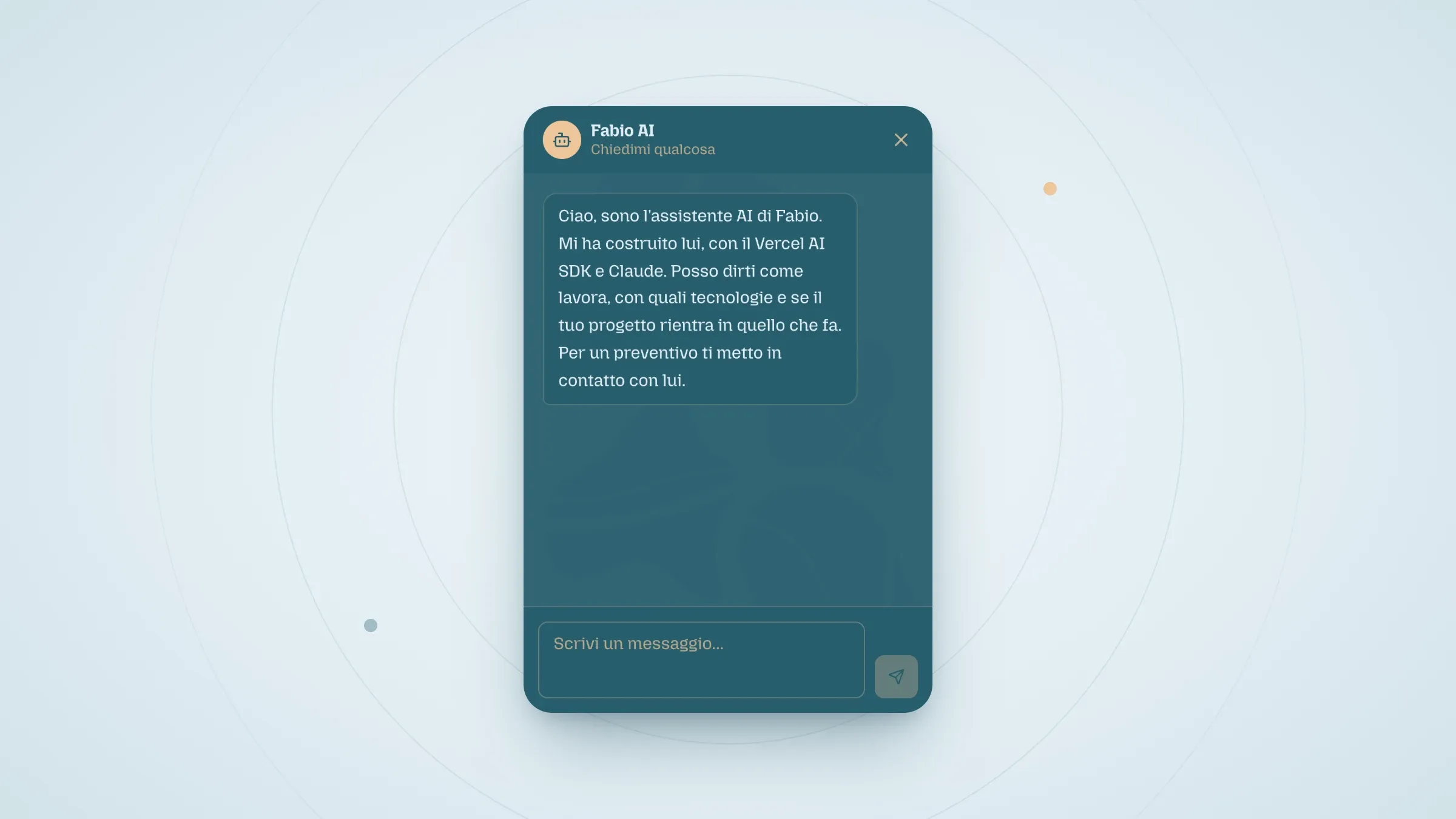
Logs were not enough, though: visitors asked their questions, got useful answers and closed the tab. So I added a button that appears after the assistant's first real reply: "Leave your details for Fabio". It opens a form with name, email and an optional message, validated with Zod in the browser and again on the server.
The submission goes through a tRPC procedure with its own per-IP limit. It creates a lead in the CMS with a copy of the conversation, up to 40 messages, and a status I update by hand: new, contacted, closed. Then I get an email with the transcript and a link to the lead, so I can reply already knowing what was asked. The email is best effort: if sending fails, the lead is already saved and the error goes to Sentry.
What didn't work
- The first rate limiter lived in memory. On serverless every instance has its own memory, so the limit limited nothing. In April I removed it and relied on Anthropic's API limits. In May an audit flagged the route as unprotected and I put limits back, this time on a shared cache and with two windows.
- The first log stored one message per row. A single conversation ended up spread across several documents. In April I moved to one document per session, updated after every reply.
- The first message arrived without a session. The session id went into the chat configuration when the widget mounted, before it had been generated, and without a session nothing was logged. I fixed it by sending the id with every message.
- The prompt also read drafts. The chat could mention a project that wasn't published yet. I filtered the query down to published content.
- At first the chat spoke as if it were me. The original prompt told it to answer as Fabio in person. I rewrote it in the third person, so it is clear who is talking.
What I take from this project
- Calling the model is the short part. The work is around it: rules, limits, logs and a way to reach a person.
- Order the checks by cost: bots first, then counters, then content, and the model last.
- On serverless, an in-memory counter is not a limit. You need shared state, even a simple one.
- Prompt context should come from the CMS, filtered to published content, not be copied in by hand.
If you want to see the rest of the project, here is the case study of this site.
Related articles
The LLM explains, the rule decides: deterministic guardrails in a safety API
The Button That Promised to Register But Scrolled the Page: The Invisible Bug in Activation Days