Building a Real-Time Train Tracking System: RFI API + Next.js Streaming
Building a mobility app with real-time train schedules seems like the most straightforward project in the world. Then you encounter the RFI API. The one that takes 5-15 seconds to respond. The one that times out without warning. The one that when it slows down, your server waits patiently and the user sees a white screen while their browser burns CPU for nothing. SLAs break, bounce rate climbs, you get feedback on Slack at midnight.
We've seen this happen in production multiple times. And every time the solution wasn't adding more servers or praying that RFI would improve. It was rethinking the architecture from scratch: aggressive timeouts, natively async Server Components, Suspense streaming, circuit breakers for fallbacks. Next.js 15 puts these patterns within reach, but only if you know where to put your hands.
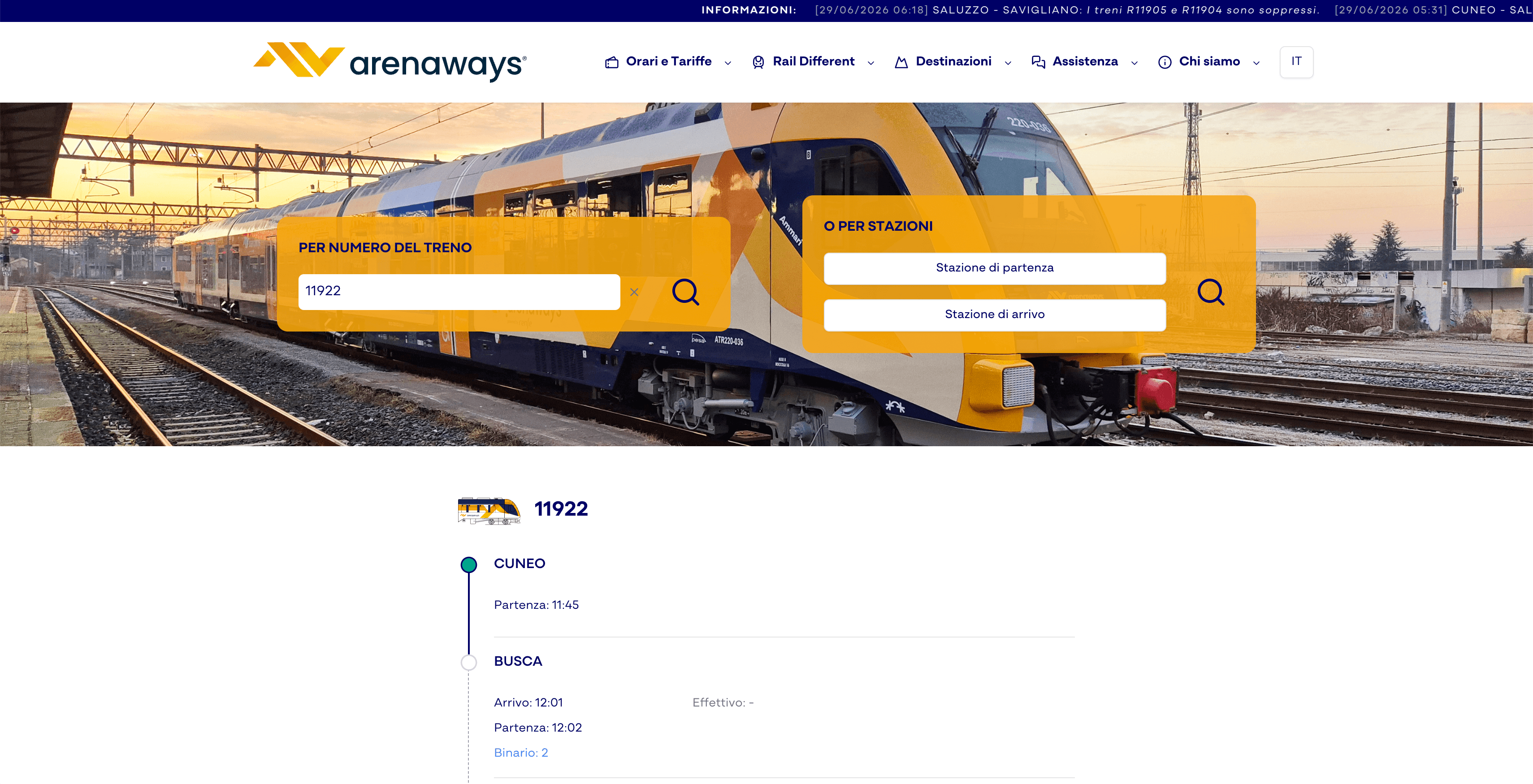
In this article we explain how Arenaways (a mobility startup using Next.js for its core product) built a real-time train tracking system that handles RFI without hiccups. It's not magic, it's architecture.
Architecture Overview: The Complete Flow
Before writing code, let's clarify the picture. A train schedule request travels through three layers: the user's browser, our backend (Node.js/Express), and the RFI API. Each layer has timeouts, network constraints, unpredictable behaviors.
The backend layer is an intelligent proxy. It doesn't do anything fancy: it receives stationId from the frontend, validates it with Zod, calls RFI with AbortController (15s timeout), logs everything with Pino, and if RFI is slow it adds a fallback from cache. If RFI crashes completely? Circuit breaker activates and serves data from 1 hour ago rather than blocking.
The frontend layer is a pure async Next.js Server Component. No useState, no useEffect, no client-side fetching. The component directly awaits the backend, ISR caches results every 60 seconds, and Suspense wraps everything with skeleton UI that appears to the browser instantly.
Here's the visual flow:
User types station
        ↓
Server Component (page.tsx)
        ↓
Fetch to backend (timeout 10s)
        ↓
Backend Express proxy
        ↓
Fetch RFI (timeout 15s, AbortController)
        ↓
Zod validation + Pino logging
        ↓
Fallback circuit breaker (stale cache)
        ↓
Backend response → Suspense streaming
        ↓
Skeleton UI disappears, trains appear
        ↓
Zero white screen, smooth UX
The result: the user sees a skeleton placeholder in 100ms. Data arrives in 2-5 seconds (RFI in the best case), skeleton gets replaced. If RFI takes 15 seconds? Backend responds anyway in <1 second with cached data, and Suspense shows it immediately. The app never blocks.
Backend Implementation: Timeout, Validation, Logging
The backend is where the magic happens, and also where most developers make mistakes. The temptation is simple: fetch RFI, await the response, send to client. If RFI is slow? Too bad, the client waits. If RFI times out? Generic error. Production scenario: 10 simultaneous users wait, the connection pool fills up, new user gets 504.
The solution is aggressive: maximum 15-second timeout, period. We don't negotiate. We use AbortController (modern standard, no libraries).
import { Router } from 'express';
import { z } from 'zod';
import pino from 'pino';

const router = Router();
const logger = pino();

const StationSchema = z.object({
  stationId: z.string().min(1).max(10),
});

router.post('/rfi/departures', async (req, res) => {
  const correlationId = crypto.randomUUID();
  const childLogger = logger.child({ correlationId });

  try {
    // Zod validation
    const { stationId } = StationSchema.parse(req.body);
    childLogger.info({ stationId }, 'RFI departures requested');

    // Aggressive 15s timeout
    const controller = new AbortController();
    const timeoutId = setTimeout(() => controller.abort(), 15000);
    const startTime = Date.now();

    const response = await fetch(
      `https://api.rfi.it/v2/departures?stationId=${stationId}`,
      {
        method: 'GET',
        headers: {
          'Authorization': `Basic ${Buffer.from(
            `${process.env.RFI_USER}:${process.env.RFI_PASS}`
          ).toString('base64')}`,
          'User-Agent': 'Arenaways-Backend/1.0',
        },
        signal: controller.signal,
      }
    );

    clearTimeout(timeoutId);
    const latency = Date.now() - startTime;

    if (!response.ok) {
      childLogger.warn(
        { statusCode: response.status, latency },
        'RFI returned error'
      );
      return res.status(response.status).json({
        error: 'RFI API error',
        statusCode: response.status,
      });
    }

    const trains = await response.json();
    childLogger.info(
      { latency, trainCount: trains.length },
      'RFI departures fetched successfully'
    );

    // ISR header: cache for 60s
    res.setHeader('Cache-Control', 'public, s-maxage=60');
    res.json(trains);
  } catch (err) {
    const latency = Date.now();

    if (err.name === 'AbortError') {
      childLogger.error({ latency }, 'RFI request aborted (timeout 15s)');
      return res.status(504).json({ error: 'RFI timeout' });
    }

    if (err instanceof z.ZodError) {
      childLogger.warn({ errors: err.errors }, 'Validation error');
      return res.status(400).json({ error: 'Invalid stationId' });
    }

    childLogger.error({ err }, 'Unexpected error');
    res.status(500).json({ error: 'Internal server error' });
  }
});

export default router;What's happening here: (1) Unique correlation ID to track this request across logs (essential in production). (2) Zod validates stationId before touching RFI. (3) AbortController with non-negotiable 15s timeout. (4) If timeout? 504 error. If RFI slow? Log the latency. (5) Cache-Control header tells Vercel/CDN to cache for 60 seconds.
Pino logging is crucial. Don't log with console.log in production. Pino writes structured JSON, adds timestamp automatically, and if you use Datadog/Sentry, integration is native. Every log has correlationId, so when a user complains that schedules were wrong, you search for their correlationId and reconstruct the entire transaction.
Frontend: Server Components and Suspense Streaming
The frontend is where developers often fail. They write useEffect, fetch in the browser, await in the component, and the flow becomes a slow waterfall: render → useEffect → fetch → await → re-render. In our case with RFI slow, this means 15+ seconds of white screen.
The Next.js 15 solution is radical: the component itself is async. No useEffect. Fetches happen at the server, at the moment of rendering.
import { Suspense } from 'react';
import { notFound } from 'next/navigation';
import pino from 'pino';

const logger = pino();

interface Train {
  id: string;
  number: string;
  departure: string;
  destination: string;
  platform?: string;
  delay?: number;
}

// Async Server Component
async function TrainSchedulesPage({
  searchParams,
}: {
  searchParams: Promise<{ station: string }>;
}) {
  const { station } = await searchParams;

  if (!station) {
    return <div className="p-4">Select a station</div>;
  }

  try {
    // Direct fetch from server
    const apiUrl = `${process.env.NEXT_PUBLIC_API_URL}/rfi/departures`;
    const response = await fetch(apiUrl, {
      method: 'POST',
      headers: { 'Content-Type': 'application/json' },
      body: JSON.stringify({ stationId: station }),
      // ISR: revalidate every 60 seconds
      next: { revalidate: 60, tags: ['trains', `station-${station}`] },
    });

    if (!response.ok) {
      logger.error(
        { status: response.status, station },
        'API error fetching departures'
      );
      notFound();
    }

    const trains: Train[] = await response.json();

    return (
      <div className="space-y-4 p-4">
        <h1 className="text-2xl font-bold">Train Schedules</h1>
        <p className="text-sm text-gray-500">Station: {station}</p>
        <div className="space-y-2">
          {trains.length === 0 ? (
            <p>No trains departing.</p>
          ) : (
            trains.map((train) => (
              <div
                key={train.id}
                className="border rounded p-3 hover:bg-gray-50"
              >
                <div className="flex justify-between">
                  <span className="font-semibold">{train.number}</span>
                  <span className="text-sm text-gray-600">{train.departure}</span>
                </div>
                <p className="text-sm">{train.destination}</p>
                {train.platform && (
                  <p className="text-xs text-gray-500">Platform {train.platform}</p>
                )}
                {train.delay && train.delay > 0 && (
                  <p className="text-xs text-red-600">Delay: {train.delay}min</p>
                )}
              </div>
            ))
          )}
        </div>
      </div>
    );
  } catch (error) {
    logger.error({ error, station }, 'Error in TrainSchedulesPage');
    notFound();
  }
}

// Loading skeleton
function TrainListSkeleton() {
  return (
    <div className="space-y-4 p-4 animate-pulse">
      <div className="h-8 bg-gray-200 rounded w-32"></div>
      <div className="space-y-2">
        {Array.from({ length: 5 }).map((_, i) => (
          <div key={i} className="border rounded p-3 h-20 bg-gray-100"></div>
        ))}
      </div>
    </div>
  );
}

// Error Fallback
function ErrorFallback() {
  return (
    <div className="p-4 bg-red-50 border border-red-200 rounded">
      <p className="text-red-800 font-semibold">Loading error</p>
      <p className="text-sm text-red-600 mt-1">
        We can't reach RFI. Try again shortly.
      </p>
    </div>
  );
}

// Layout with Suspense
export default function Page({
  searchParams,
}: {
  searchParams: Promise<{ station: string }>;
}) {
  return (
    <>
      <Suspense fallback={<TrainListSkeleton />}>
        <TrainSchedulesPage searchParams={searchParams} />
      </Suspense>
    </>
  );
}The flow is: browser loads page.tsx → Server Component starts, shows TrainListSkeleton immediately → fetch to backend (10s timeout) → data arrives → Suspense replaces skeleton → user sees trains. If backend responds in <1 second (cache), trains appear in 500ms. If RFI is slow, skeleton stays visible for 2-3 seconds, user knows it's loading. Never white screen.
Tag-based ISR (`next: { tags: ['trains', `station-${station}`] }`) is optional but useful. If you update a train in the background, you can call `revalidateTag('trains')` from a server action, and Next.js clears the cache for that route.
Managing Latency and Timeout in Production
Perfect theory locally, different reality in production. RFI is a legacy service, and sometimes it takes 5 seconds, sometimes 20. Sometimes it's down completely. Your 15-second timeout solves the slow response problem, but what happens when RFI is down for 2 hours? Do you serve users data from 1 day ago? Show error?
The answer is a circuit breaker. Simple pattern: count how many consecutive timeouts you've had in the last 5 minutes. If you exceed 5, "circuit open": stop trying to call RFI, return stale cached data (even 1 hour old is better than error). If the circuit stays open for 10 minutes, try a test request. If it passes, "circuit closed", resume normal.
// Simple circuit breaker
const circuitBreakerState = {
  state: 'closed', // 'closed' | 'open' | 'half-open'
  failureCount: 0,
  lastFailureTime: null,
  successThreshold: 2,
};

const FAILURE_THRESHOLD = 5;
const TIMEOUT_WINDOW = 5 * 60 * 1000; // 5 minutes
const RECOVERY_TIMEOUT = 10 * 60 * 1000; // 10 minutes

function handleCircuitBreakerFailure() {
  circuitBreakerState.failureCount += 1;
  circuitBreakerState.lastFailureTime = Date.now();

  if (circuitBreakerState.failureCount >= FAILURE_THRESHOLD) {
    circuitBreakerState.state = 'open';
    logger.warn('Circuit breaker opened: RFI unreliable');
  }
}

function handleCircuitBreakerSuccess() {
  if (circuitBreakerState.state === 'half-open') {
    circuitBreakerState.successThreshold -= 1;
    if (circuitBreakerState.successThreshold <= 0) {
      circuitBreakerState.state = 'closed';
      circuitBreakerState.failureCount = 0;
      logger.info('Circuit breaker closed: RFI recovered');
    }
  }
}

function shouldCallRFI() {
  if (circuitBreakerState.state === 'closed') return true;

  if (circuitBreakerState.state === 'open') {
    const timeSinceLastFailure =
      Date.now() - circuitBreakerState.lastFailureTime;
    if (timeSinceLastFailure > RECOVERY_TIMEOUT) {
      circuitBreakerState.state = 'half-open';
      circuitBreakerState.successThreshold = 2;
      return true; // Recovery attempt
    }
    return false; // Circuit open, no call
  }

  if (circuitBreakerState.state === 'half-open') return true; // Test call

  return false;
}

// In getDepartures endpoint:
if (!shouldCallRFI()) {
  logger.warn('Circuit open: serving stale cache');
  const staleData = cache.get(`departures:${stationId}:stale`);
  if (staleData) return res.json(staleData);
  return res.status(503).json({ error: 'Service temporarily unavailable' });
}

// Fetch RFI...
try {
  const trains = await fetchRFI(stationId);
  handleCircuitBreakerSuccess();
  res.json(trains);
} catch (err) {
  handleCircuitBreakerFailure();
  // Fallback to stale cache
}
Retry with exponential backoff is the complementary pattern. If a request times out, don't give up immediately: retry after 1 second, then 2, then 4. If the request succeeds, reset. This is what Netflix and AWS do by default.
async function fetchRFIWithRetry(stationId, maxRetries = 3) {
  let lastError;

  for (let attempt = 0; attempt < maxRetries; attempt++) {
    try {
      const controller = new AbortController();
      const timeoutId = setTimeout(() => controller.abort(), 15000);

      const response = await fetch(
        `https://api.rfi.it/v2/departures?stationId=${stationId}`,
        {
          method: 'GET',
          headers: {
            'Authorization': `Basic ${btoa(RFI_USER:RFI_PASS)}`,
          },
          signal: controller.signal,
        }
      );

      clearTimeout(timeoutId);

      if (response.ok) return await response.json();

      lastError = new Error(`RFI status ${response.status}`);
    } catch (err) {
      lastError = err;
    }

    // Exponential backoff: 1s, 2s, 4s
    if (attempt < maxRetries - 1) {
      const delayMs = Math.pow(2, attempt) * 1000;
      logger.warn(
        { attempt, delay: delayMs, station: stationId },
        'Retrying RFI'
      );
      await new Promise((resolve) => setTimeout(resolve, delayMs));
    }
  }

  throw lastError;
}Production Patterns: Rate Limiting, Monitoring, Alerting
Your code works locally. In production? You need to add visibility. Rate limiting to protect the backend. Monitoring to know what's happening. Alerting to be warned before disaster.
Rate limiting is essential. If RFI is slow and 100 users search simultaneously for the same station, your backend receives 100 parallel requests to the RFI API. RFI complains (IP ban), or you cascade into failure. The solution: Redis + token bucket. Max 100 requests to the backend per minute, regardless of how many users. If you run out, respond 429 and the client waits.
import redis from 'redis';

const redisClient = redis.createClient();

const RATE_LIMIT = 100; // requests
const WINDOW = 60; // seconds

async function checkRateLimit(key) {
  const current = await redisClient.incr(key);
  if (current === 1) {
    await redisClient.expire(key, WINDOW);
  }
  return current <= RATE_LIMIT;
}

// In the endpoint:
const allowed = await checkRateLimit('rfi:departures:global');
if (!allowed) {
  return res.status(429).json({ error: 'Rate limit exceeded' });
}
Monitoring means measuring: RFI latency (P50, P95, P99), number of timeouts, cache hit rate, circuit breaker state. Use Datadog, New Relic, or Sentry to collect metrics. In Next.js, you can log with Pino and collect with Axiom or Datadog APM.
const startTime = Date.now();
try {
  const response = await fetchRFI(stationId);
  const latency = Date.now() - startTime;

  // Metrics
  statsd.histogram('rfi.latency', latency);
  statsd.increment('rfi.success');
  logger.info({ latency }, 'RFI success');
} catch (err) {
  const latency = Date.now() - startTime;
  statsd.histogram('rfi.latency', latency);
  statsd.increment('rfi.error');

  if (err.name === 'AbortError') {
    statsd.increment('rfi.timeout');
  }
}
Alerting: if latency P99 > 10s or timeout > 10 per minute, trigger alert. Don't wait for users to complain. Configure Pagerduty or Slack webhook.
Common Mistakes and Gotchas
Mistake 1: useEffect + fetch in the browser. So many developers still write: `useEffect(() => { fetch('/api/...').then(...) }, [])`. This creates a waterfall: render → useEffect → fetch → await → re-render. With RFI slow, 15+ seconds. Don't do this. Use Server Components.
Mistake 2: timeout too long. If you set timeout 30-60 seconds "to give RFI time", you kill UX. User waits, browser freezes, battery drains, abandons. 15 seconds is the biological maximum. Better fast fallback than waiting forever.
Mistake 3: assume RFI is always fast. It is in the morning at 8am when everyone asks for schedules. It's not at 3am when RFI does maintenance. It's not a random Tuesday. ALWAYS test with network throttling. In DevTools go Network > Throttling > Fast 3G, and review how your site behaves.
Mistake 4: zero correlation ID in logs. You can't debug production without traceability. Every request must have a unique ID that flows through all logs. If a user says "schedules were wrong at 2:30pm", you search for their session ID and correlation ID in logs, and reconstruct what happened.
Mistake 5: cache too aggressive. If you cache for 10 minutes, when a train changes platform, the user sees the old platform for up to 10 minutes. If you cache for 30 seconds, data is almost always fresh but load on RFI is high. In our case 60 seconds is the sweet spot: data updates every minute, RFI doesn't die.
Mistake 6: zero monitoring. Discover problems from user complaints on Slack. Too late. Use Sentry for error tracking, Datadog/New Relic for metrics, Axiom for log search. Cost is minimal compared to an hour of emergency debugging.
Conclusion: Sustainable Patterns in Production
Legacy APIs like RFI are the enemy of modern frontend. Slow, unstable, no SLAs. But Next.js 15 with Server Components, Suspense, and aggressive timeouts gives you the tools to tame them.
Here are the 4 pillars:
(1) Aggressive 15-second timeout max. AbortController is the modern way, no libraries. If RFI takes more than 15s, fallback to stale cache or graceful error. (2) Suspense streaming = zero white screen. Async Server Component, no useEffect, skeleton UI appears to browser while server fetches. (3) ISR + edge caching dramatically reduce load. With ISR 60s and CDN edge caching, 90% of requests don't even touch your backend. (4) Monitoring + alerting = you're warned before disaster. Pino + Datadog + Sentry. Correlation ID in every log.
The pattern scales: same approach works for weather API, stock quotes, flight prices. Slow? Aggressive timeout. Unstable? Circuit breaker. Critical? Monitoring + alerting.
If you're building a mobility app or anything that depends on legacy APIs, try this pattern. Comment your results: latency, timeout rate, user feedback. If it fails, it means we still have something to learn.